

Team: Product Design, PM, PO, Frontend team
Role: Senior Product Designer
1. Improve Data Interpretation
Help engineers and planners quickly understand elevation and gradient changes through clearer visualization and simplified interaction.
1
Increase Tool Discoverability & Adoption
Make the Elevation Tool easier to find and use within Street Smart X, encouraging more frequent use across departments.
2
Enable users to analyze flood risk, drainage, and slope conditions directly from panoramic imagery without external tools.
Support Infrastructure Planning Decisions
3
Business Goals

Icon are from icons8.com & streamlinehq. Mix & Mach library from Lucian popovici.
User Research-Discovery Stage
First we dived into the current tool, we tried to discover what are the problems our users currently facing. The application of the Double Diamond Framework guided us through a structured design process.
Define
Discover
Deliver
Double diamond
Design Framework
🔎How We Discovered the Gaps?
📬Sent out a survey: We shared a feedback form internally & externally to collect insights on how intuitive the
Elevation Tool felt to users.
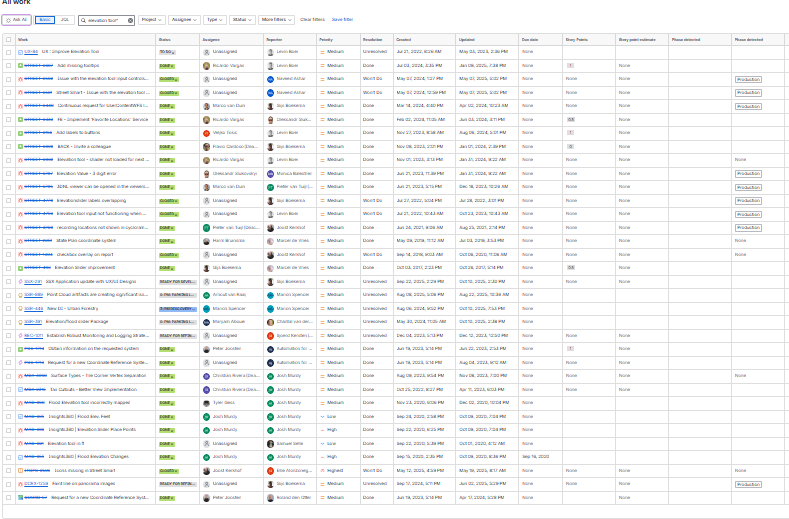
📝Searched support tickets: We reviewed past support tickets to identify recurring confusion around
elevation values, reference points, and the height difference toggle.
📥Scanned feature requests: We found direct requests and indirect signals pointing to usability issues with the
tool’s discoverability and labeling.
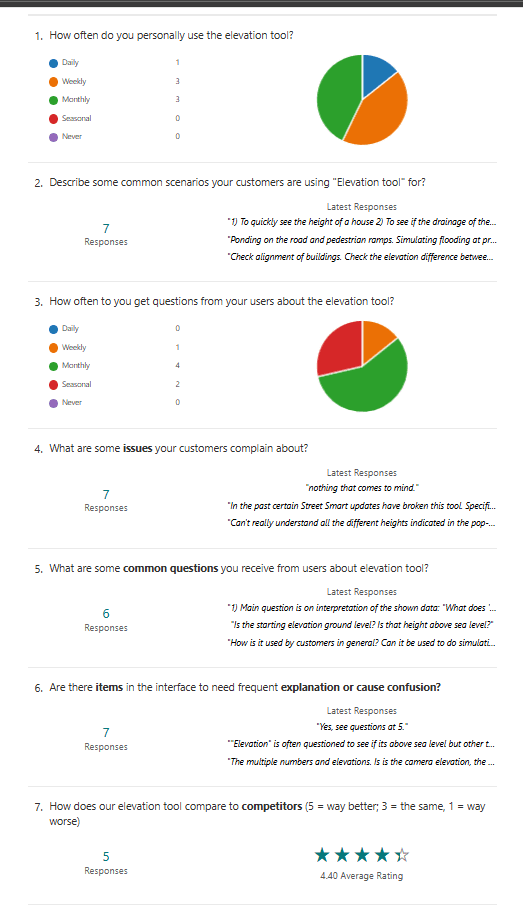
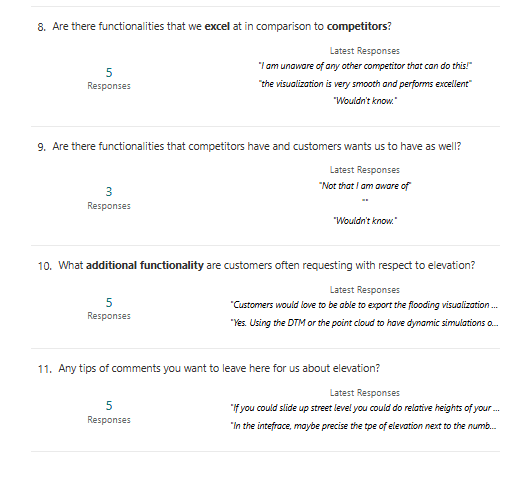
Feedback form shared with our users
Support tickets related to the elevation tool
Main Users’ Challenges
1
Confusion about shader meaning and reference baseline.
2
Unclear export/edit options for sharing insights.
3
Limited understanding of
when and how to use each mode.
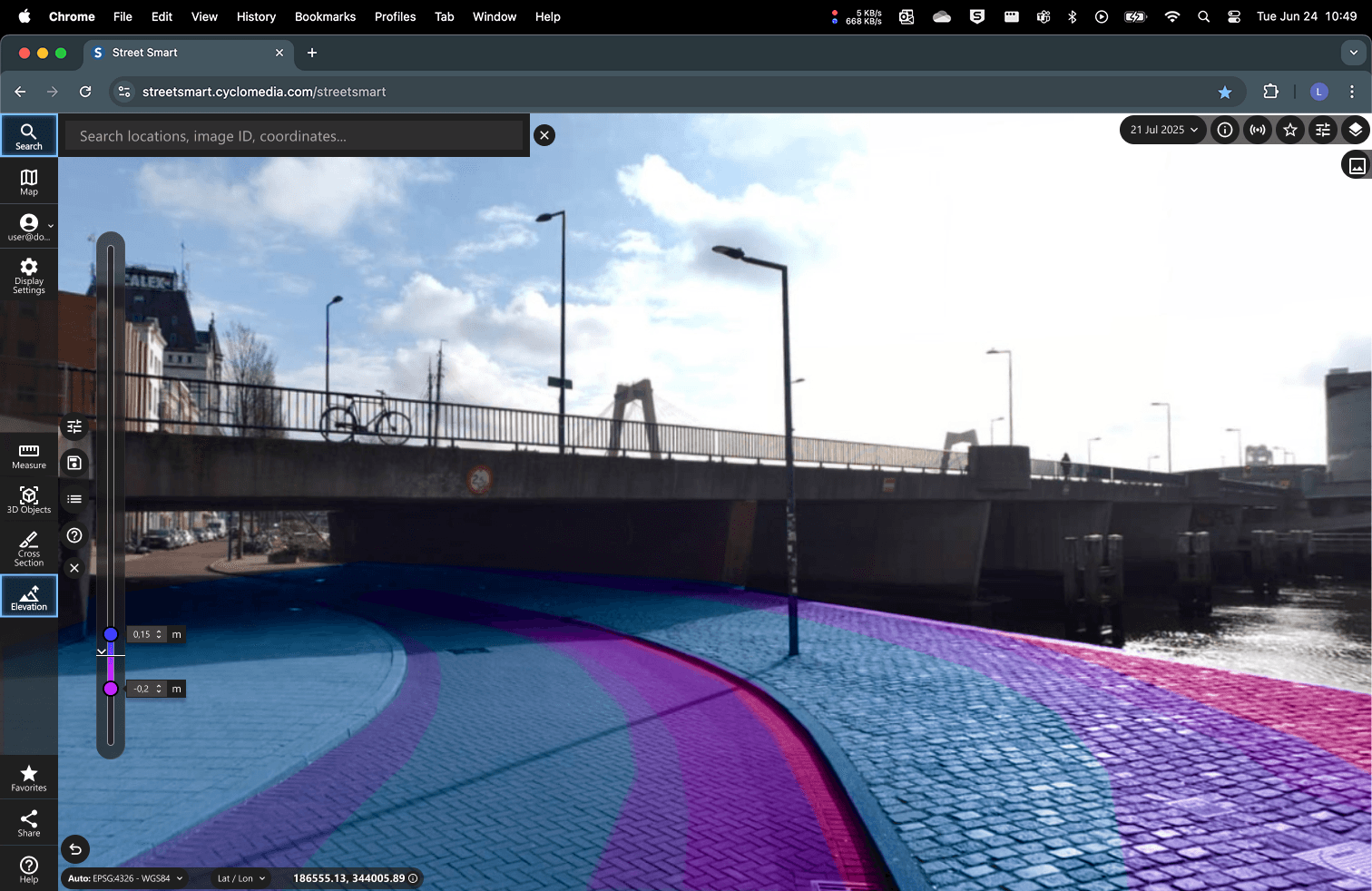
The Elevation Tool provided valuable data but was difficult to understand and use effectively.
Define
Discover
Develop
Deliver
Double diamond
Design Framework
Definition Stage
Designing the right thing
After completing the initial stage, we began the process of sifting through the collected information, carefully elaborating on the insights to identify the primary problems and articulate the central design challenge.
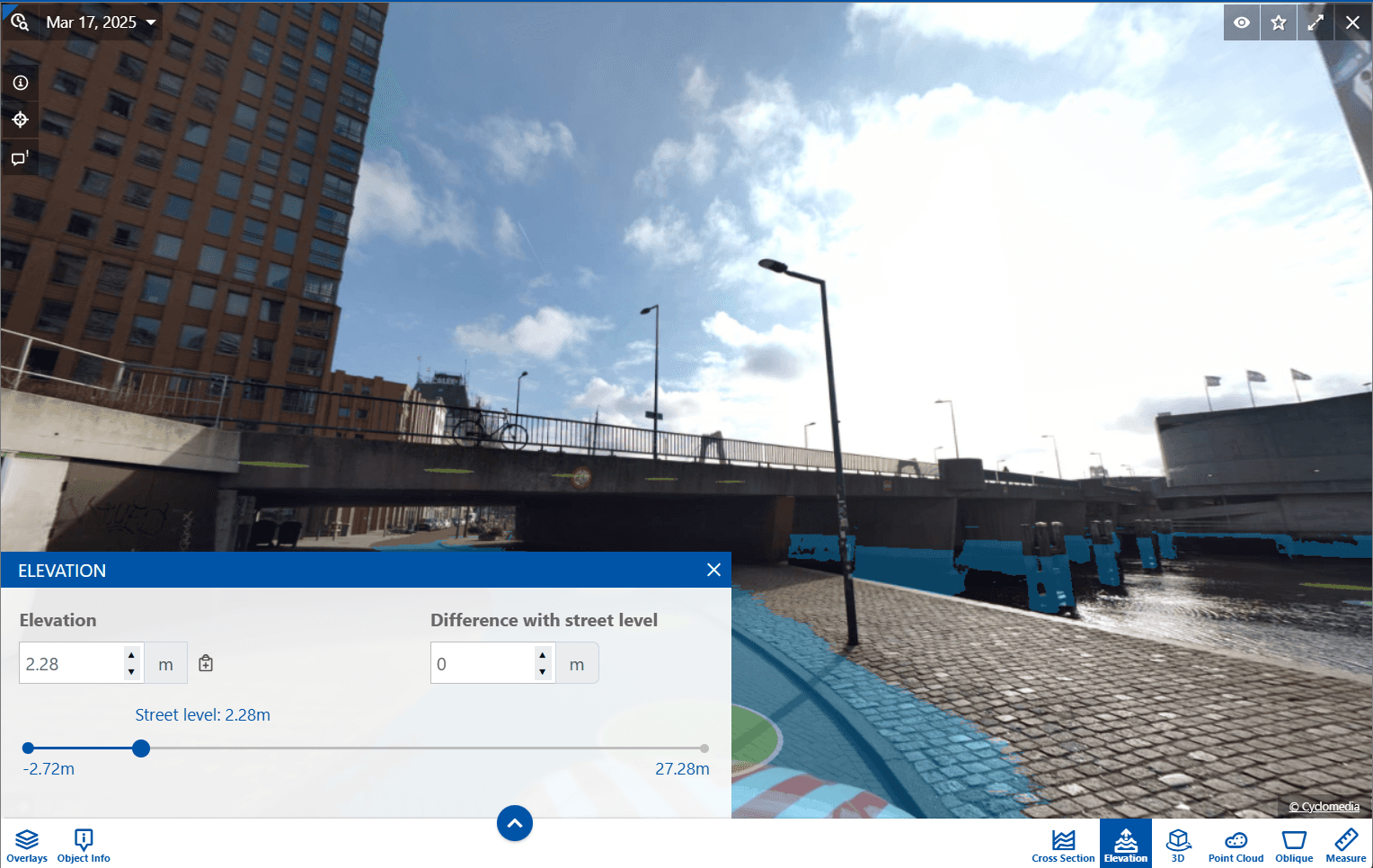
Screenshot of the current UI.
Define
Discover
Develop
Deliver
Double diamond
Design Framework
Usability tests- Development Stage
Designing things right
Based on the user problems and business goals, we started to develop the design ideas using sketches and low/mid fidelity wireframes. Based on user tests, we did several iterations.
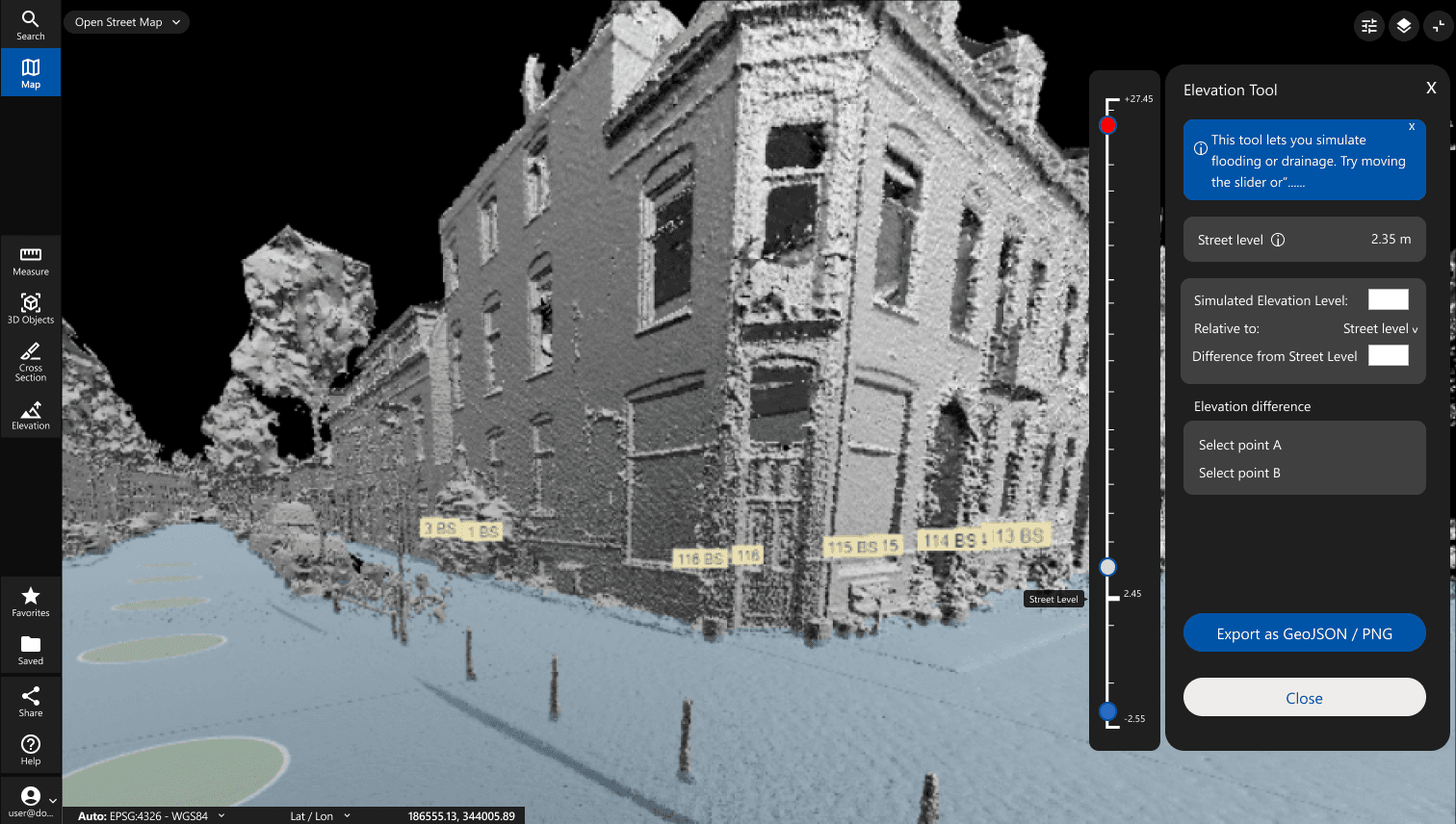
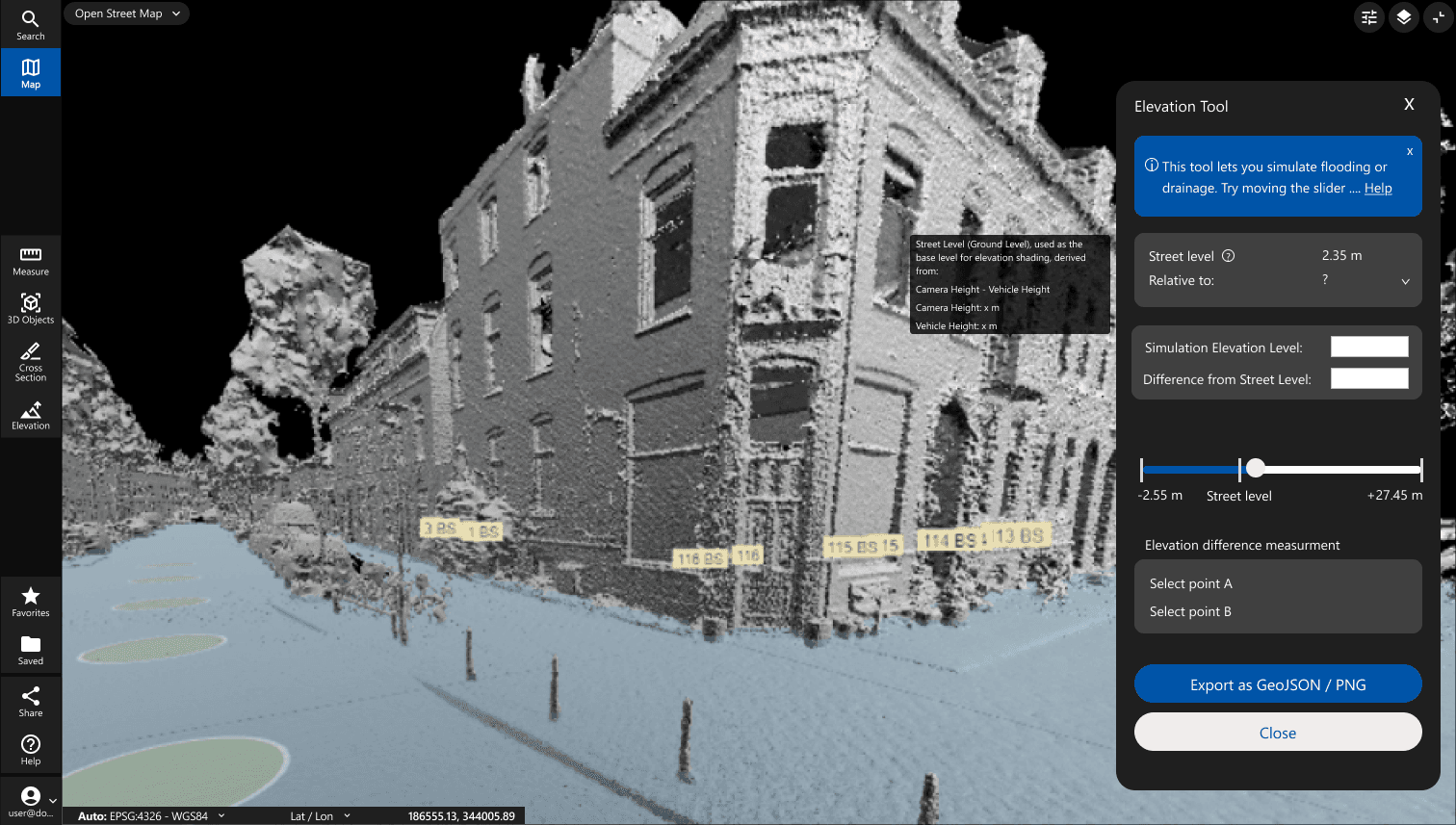
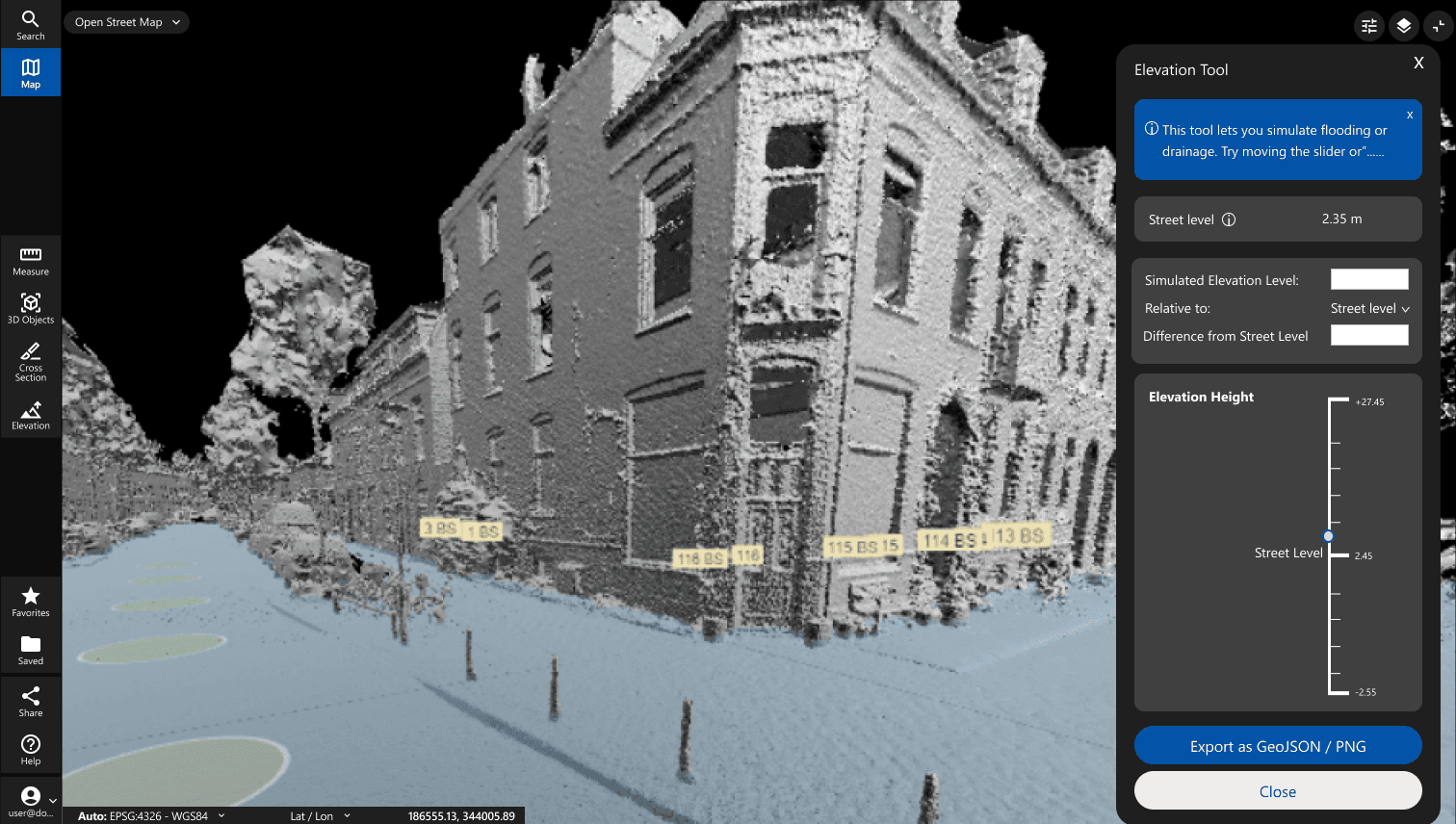
Different iterations of the Elevation design. We had a design critique weekly with the team to discuss the design decisions.
We iterated on the feedback from Pm, PO and developers.
Validating the New Design internally
What We Tested
I ran a series of internal usability tests to see whether the new design actually solved the discoverability and clarity issues.
Method: Internal usability testing with 5 people, including Sales Engineers who regularly support DOT clients, PMs and solution Engineers.
Objective: Assess discoverability, comprehension, and workflow fit of the redesigned Elevation Tool.
Tasks tested:
Identify the Elevation Tool in the UI.
Interpret shader meaning and baseline.
Use Level mode to assess flood risk.
Use Gradient mode to interpret slope direction.
Switch between modes and interpret data.
Key Findings:
3/5 users didn’t notice the toggle at all.
60% couldn’t explain the purpose of Gradient mode before using it.
Users appreciated the spacious layout but needed clearer visual cues.
Sales Engineers struggled to explain baseline logic to customers.
01
🧐Discoverability
of the tool in the UI
02
👁️First-glance
understanding
of elevation value
& reference point
03
🧮Interaction with the
toggle and slider
04
🎨Interpretation of
the gradient view
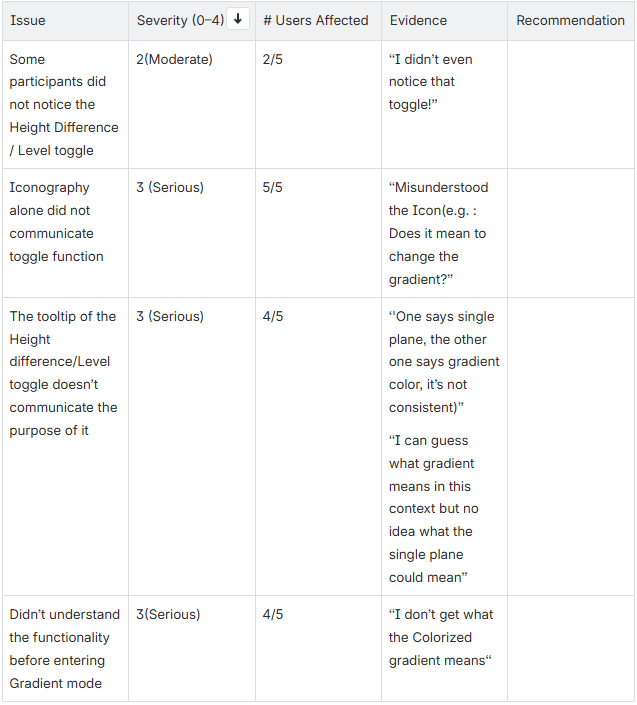
Severity scale:
4 = Critical – prevents task completion
3 = Serious – causes significant delay/confusion
2 = Moderate – slows task, some workarounds
1 = Minor – slight annoyance, doesn’t block task
0 = No issue
Delivery Stage
Define
Discover
Develop
Deliver
Double diamond
Design Framework
The Elevation Tool designs continue to evolve. As we prepare the MVP, we plan to validate the experience with real users to ensure it meets their needs. Every release is a step forward, there’s always room to refine and enhance the user experience.
Making sure that the final product works well
Problem

The existing elevation tool experience in Street Smart lacked clear interaction patterns, offered no confidence feedback on measurement accuracy, and required multiple tool-mode switches, causing friction.
Role & Scope
Led end-to-end UX/UI design: user research, interaction design, prototyping, usability testing, and design iteration.
Redesigned the elevation measurement flow, including reference point interaction, accuracy feedback system, contextual tool access, and accessibility improvements.
Outcome

A redesigned elevation tool experience with clearer spatial reference cues, real-time accuracy indicators, and a streamlined interaction model, reducing task completion time, increasing user confidence, and supporting more reliable decision-making.
The Final redesigned Elevation Tool.
Street Smart is Cyclomedia’s geospatial visualization platform, enabling users to inspect infrastructure using panoramic imagery and LiDAR data. In 2024, our team began a complete redesign of the platform: Street Smart X, to modernize its architecture, remove technical debt, and elevate the user experience.
As part of this transformation, I led the redesign of the Elevation Tool, improving its discoverability, visual clarity, and ability to interpret terrain data for use cases like flood analysis and road design.
Street Smart X – Elevation Tool Redesign
Making Terrain Analysis Intuitive and Actionable
Next case study
Street Smart X — Cross Section Tool